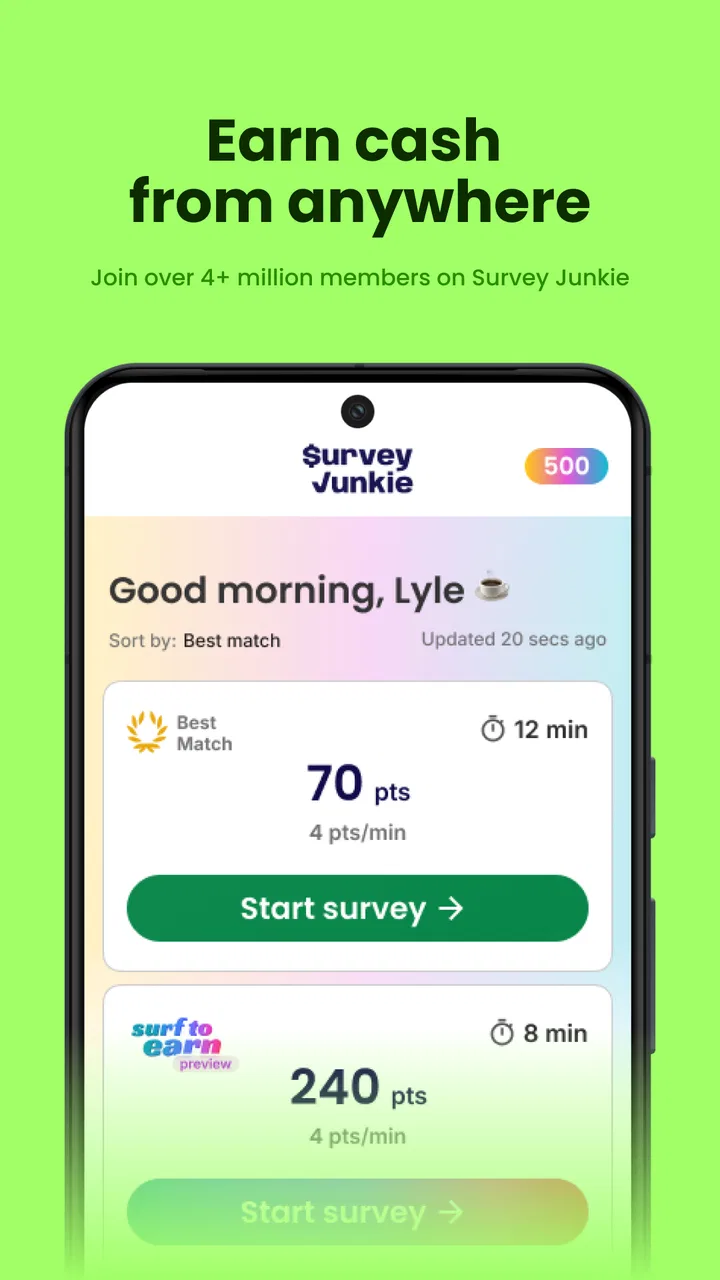
Survey Junkie
- 4.4
- Rating
- 1.00M
- Installs
- Free
- Price

 Analysis by App-foxy
I found Survey Junkie most useful when I treated it as a small, flexible way to turn spare attention into rewards rather than as a dependable income source. It is a lifestyle app from Survey Junkie built around answering surveys and sharing opinions, and the basic idea is easy to understand: open the app, check what is available, complete a questionnaire, and work toward cash or other rewards. The experience is simple, but the quality of each session depends heavily on your internet connection, your profile, and how much patience you have for screening questions.
That balance matters. Survey apps can look similar at first, yet the difference between a pleasant five-minute activity and a frustrating session often comes from how quickly surveys load, whether your answers are accepted, and what happens when a connection drops halfway through. After spending time with this one, I would recommend it to someone who wants a low-pressure option for occasional spare moments. I would not recommend relying on it for regular earnings or opening it when I need a guaranteed result.
How the app feels when your connection is doing the work
The central experience is network-dependent from the moment I open the app. Available survey information has to load before I can decide what is worth attempting, and the questionnaire itself may involve several screens of questions. That makes a stable connection more important here than it would be in a simple offline notes or calculator app. When the network is responsive, the process feels straightforward: browse an opportunity, read its introduction, answer carefully, and watch the reward progress.
You May Also Like

 Blood Strike: 2.5 Anniversary
Blood Strike’s Loadouts Turn Every Drop Into a Tactical Gamble
A close look at Blood Strike’s custom loadouts: how fast access to signature weapons reshapes its battle royale rhythm, rewards preparation, and narrows the gap between fights.

 Pandora - Music & Podcasts
Pandora’s Music Is Easy to Start, but Harder to Recover
Pandora’s strength is its low-effort path from a seed to a station. Its weak spot is how much confidence it asks you to place in connection, setup, and quiet recovery.

 8 Ball Pool
 Is Built on Rivalries, Rematches, and Routine
A close look at the rivalries, rematches, shared routines, and unanswered safety questions that turn a quick pool match into a persistent mobile community.

 Samsung Music
’s Quiet Strength Is Playing What You Already Own
Its reach comes less from spectacle than from dependable access to a personal library. That simplicity is both the app’s strongest retention engine and its ceiling.

 AccuWeather: Weather Radar
AccuWeather Review: A Quick, Clear Forecast for Everyday Decisions
For everyday plans, the best forecast is the one you can understand quickly. AccuWeather makes rain timing, radar, and local conditions easy to act on, with a few trade-offs.

 Hill Climb Racing
Why Hill Climb Racing Still Turns Crashes Into One More Run
A tiny car, a bumpy hill and one more upgrade: Hill Climb Racing keeps resurfacing because its simple chaos makes every near-miss feel personal.
More From Our News Desk



When the connection is weak, the friction becomes much more noticeable. A loading screen can interrupt the rhythm of a survey, and a delayed response makes it harder to know whether I should tap again or wait. I learned to avoid starting a questionnaire in places where my connection was likely to change, especially during travel or in crowded indoor areas. A survey is not a good activity to begin if I may have to close the app suddenly.
This is also why I prefer checking the app before committing to a survey. I look at the expected effort, read the opening information, and decide whether I have enough uninterrupted time. If I am already dealing with a poor signal, I do not start simply because a survey appears available. The most important practical rule is to treat a survey as a connected session, not as something I can safely pause anywhere.
Survey Junkie’s popularity gives it a reassuring first impression. It has a 4.4 average from around 108 thousand ratings, and the app has passed one million installs. Those figures suggest that the basic concept works for a substantial audience, but they should not be read as a promise that every user will receive the same survey flow. Availability can vary according to personal details, location, timing, and the kinds of opinions researchers are looking for.
Why screening questions change the value of a session
The first questions in a survey may be used to determine whether I fit the intended audience. That means the advertised opportunity is not automatically a guaranteed task. I can spend a little time answering introductory questions and still discover that the survey is not suitable for my profile. This is one of the biggest differences between Survey Junkie and a straightforward paid microtask with a clearly defined job.
I do not see screening as a flaw by itself; it is part of how opinion research works. The important trade-off is that the time cost is less predictable. My approach is to answer consistently and honestly rather than trying to guess which answers might unlock more surveys. Inconsistent responses can make the whole experience less trustworthy and may create more problems than they solve.
A useful habit is to keep expectations modest during the first few sessions. I use the early questions to learn how often opportunities appear for me, how long the full process feels, and whether the available reward justifies the attention required. That personal trial is more useful than assuming the experience described by another user will match mine.
Using it in real mobile situations
The app fits best into short gaps that already exist in my day. Waiting for an appointment, sitting at home after finishing a task, or taking a quiet break can all be reasonable moments to check it. I would not open it while walking, driving, or rushing between places. Apart from safety, divided attention makes it easier to misread a question and harder to notice when a page has stalled.
One realistic routine is checking Survey Junkie once during a lunch break, choosing a survey only if I have enough time to finish without interruption, and closing the app if the session becomes uncertain. This keeps the app from taking over the day. I also prefer using a larger screen when a questionnaire contains dense text, because reading carefully on a phone can become tiring even when the connection is excellent.
There is a subtle mobile trade-off here. The phone makes the app convenient because it is usually nearby, but convenience can tempt me to begin surveys in unsuitable places. A short queue may seem perfect until the line moves, the signal changes, or I have to put the phone away. I get better results when I think of the app as a planned spare-time activity instead of an automatic way to fill every idle second.
For someone who travels frequently, the experience may feel less consistent than it does at home. Switching between mobile data and Wi-Fi can interrupt a session, and changing surroundings may affect which opportunities appear. I would check the app when I have a reliable connection and enough battery, rather than assuming every survey can be completed during a commute.
What I would do before starting a survey
I check whether I have a stable connection and enough uninterrupted time.
I read the opening details instead of tapping through immediately.
I avoid starting when I am likely to lose signal, switch networks, or close the app.
I answer profile and screening questions consistently rather than tailoring responses for a hoped-for outcome.
I keep track of how long a session actually takes so I can judge its value for my own routine.
These steps sound basic, but they address the most common source of disappointment: expecting every listed opportunity to become a completed reward. The app is easier to enjoy when I accept that the selection process is part of the experience.
What happens when a session fails
Connectivity problems are most frustrating when they happen after I have already invested time. A page may take too long to respond, a survey may stop progressing, or the app may need to reconnect after I move between networks. In those moments, repeatedly tapping the screen is rarely helpful. I usually wait briefly, check whether the connection is working elsewhere, and then reopen the app only if the session clearly cannot continue.
I also avoid assuming that a stalled screen means the survey has safely saved my place. If I have to leave, I treat the session as uncertain and check my account later rather than immediately starting another survey in a panic. This approach prevents duplicate attempts and keeps me from wasting more time on an app state that may not have updated yet.
The recovery experience is therefore as important as the initial loading speed. A connected rewards app needs clear feedback because users are making decisions about time and progress. If I cannot tell whether an answer was recorded, I lose confidence quickly. Survey Junkie is most comfortable for me when I use it with a patient, low-stakes mindset; it is not the kind of tool I would choose when every minute matters.
There is another failure point that has nothing to do with signal: being screened out. That can feel like a technical problem because the survey ends unexpectedly, but it is usually a qualification issue rather than a connection failure. I learned to separate the two. If other pages load normally and the questionnaire ends after profile questions, I do not keep troubleshooting my phone. I simply move on and reassess whether the next opportunity is worth trying.
A sensible recovery routine
Pause instead of tapping repeatedly when a page does not respond.
Check the connection with another ordinary app or webpage.
Return to Survey Junkie and see whether the session or account status has updated.
If the survey is no longer available, avoid assuming that retrying will restore the same opportunity.
Record the lesson for future use: poor signal, insufficient time, or an unsuitable survey type.
This routine does not eliminate uncertainty, but it keeps a small interruption from becoming a long, unproductive troubleshooting session. It also helps me judge the app fairly. A survey ending because I was not eligible is different from an app failing to load, and each problem calls for a different response.
Keeping mobile data and attention under control
Because Survey Junkie relies on connected survey sessions, I would be careful about using it when mobile data is limited. Text-heavy questionnaires may be modest compared with video services, but the app still needs to communicate with its service while I browse and answer. I prefer using Wi-Fi when practical, especially if I am planning a longer session or checking the app repeatedly throughout the day.
I also consider attention a resource. The direct financial return from a survey should be weighed against reading time, screening time, and the possibility of being disqualified. A session that looks attractive at first may be less appealing once I include the questions needed to determine eligibility. My personal rule is simple: if I feel rushed, distracted, or annoyed, I stop rather than forcing myself to continue.
This is where Survey Junkie differs from alternatives such as cashback apps, receipt-scanning tools, or task platforms. Cashback services can fit naturally into a purchase I was already making, while receipt apps usually add a quick step after shopping. A task platform may offer a more defined action. Survey Junkie asks for opinions, so the main cost is not shopping or travel but concentration and personal time.
Compared with a traditional market-research panel, the phone-based format is more convenient because I can check opportunities without sitting at a computer. Compared with casual reward games, it is more direct and less dependent on entertainment value. However, neither comparison removes the uncertainty around qualification. If I want predictable savings from purchases, a cashback alternative may suit me better. If I want structured freelance work, a task marketplace is likely a stronger choice.
Who gets the most from it
I think the app is a good match for adults who are comfortable answering personal-interest and consumer-opinion questions, have realistic expectations, and can use a dependable connection during short free periods. It may also suit someone who prefers a simple activity with a clear reward goal rather than a game or social feed.
It is a weaker match for anyone seeking guaranteed hourly earnings, immediate cash from every session, or a completely passive experience. It is also not ideal for people with very limited data, unreliable connectivity, or little patience for screening. Those users may find a receipt-based rewards app or a more structured earning platform less frustrating.
The Everyone content rating makes the app broadly approachable, but that does not mean every survey is equally comfortable for every person. I still read questions carefully and decide whether I want to provide the requested opinions. A reward is not a reason to answer carelessly or share more than I am comfortable discussing.
Version, cost, and the overall decision
Survey Junkie is free to download, which makes trying it relatively low risk from a purchase standpoint. The app is maintained by its developer, Survey Junkie, and the current version is 1.32.3-na. It was released on July 11, 2018, and requires Android 9 or later. Those details make it worth checking compatibility before installing, particularly if I am using an older phone.
The absence of an upfront price is helpful, but “free” does not mean costless. I pay with time, attention, battery, and sometimes mobile data. The right question is not whether the download costs anything; it is whether the completed survey experience feels worthwhile for my circumstances. That answer can change depending on the day and the opportunities available.
I would also avoid comparing the app with a normal job. Survey Junkie is better understood as an occasional rewards tool. Its strengths are accessibility, a clear opinion-based purpose, and the ability to fit into spare moments. Its weaknesses are the dependence on connectivity, variable survey availability, screening uncertainty, and the possibility that a session will not feel worthwhile after the time involved.
After using it, I would tell a friend to install it only with a specific expectation: use it when convenient, not when money is urgently needed. Start on a reliable connection, protect enough time to finish, and judge the experience over several ordinary sessions rather than one unusually good or bad attempt. That approach makes the app feel manageable and keeps its limitations in view.
My final verdict is that Survey Junkie works best as a casual, connected opinion-rewards app for spare moments. I like the straightforward concept and the fact that it does not require me to turn the activity into a major project. Still, the network-dependent flow and unpredictable qualification process mean it is not the right alternative for everyone. If you are patient, data-conscious, and comfortable treating rewards as a small extra, it is worth trying. If you need certainty, offline access, or dependable income, I would choose a different category of app.
FAQs for Survey Junkie
01What is Survey Junkie, and how does it work?
Survey Junkie is a rewards platform where members share opinions through online surveys and, in some cases, additional research activities. After creating an account, you complete your profile so the app can match you with relevant studies. Each completed activity earns points, which can later be exchanged for available rewards. Survey availability and earning potential vary by location, demographic profile, and current research demand.
02Is Survey Junkie free to download and use?
Yes, Survey Junkie is generally free to join and use. You should not have to pay an upfront fee to create an account, receive survey invitations, or redeem legitimate rewards. Be cautious of anyone requesting payment or sensitive information outside the official app or website. Although participation is free, completing surveys requires time, and not every survey invitation will result in a successful completion or reward.
03How do you earn and redeem rewards on Survey Junkie?
Survey Junkie typically awards points after you complete eligible surveys or other approved activities. Once your balance reaches the applicable minimum redemption threshold, you may be able to exchange points for options such as cash transfers, PayPal payments, or electronic gift cards, depending on your country and account eligibility. Available methods, thresholds, and processing times can change, so review the current rewards section before participating.
04How much money can you realistically make with Survey Junkie?
Survey Junkie is better suited to earning occasional extra money than replacing a regular income. Your results depend on how many surveys you qualify for, their length, your demographic profile, and the amount of research available in your region. Some users may receive frequent opportunities, while others see fewer invitations. Completing your profile accurately and checking regularly can improve matching, but earnings are never guaranteed.
05Is Survey Junkie safe and worth using?
Survey Junkie can be worth trying if you are comfortable exchanging your opinions for modest rewards and understand that survey opportunities are limited. Use only the official application or website, protect your login details, and read each study’s privacy information before providing personal data. The app may ask profile questions to match surveys, but you should avoid sharing information that feels unnecessary or uncomfortable.
Pros
- Simple interface makes surveys easy to find and complete.
- Multiple payout options give users flexibility when redeeming rewards.
- Profile matching helps surface surveys suited to your interests.
- Clear progress tracking shows points earned and redemption status.
- Available on mobile
- making it convenient to answer surveys anywhere.
Cons
- Survey availability can vary significantly by location and demographics.
- Some surveys screen you out after answering several questions.
- Rewards may take time to accumulate if you use the app occasionally.
- Personal information is required to match you with research studies.
- Not all users may qualify for every available payout method.

Survey Junkie
Gallery